

Authorize.net's new design combines trusted functionality with streamlined navigation to help you get more done daily.
Let's take a quick tour of key features to help you get started fast. To make the transition smoother, you can easily toggle between the new and classic experiences at the top of your dashboard.
The dashboard: where it all starts
The all-new, customizable Authorize.net dashboard is what you'll see when you log in to your Authorize.net account. It gives you quick and easy access to four important areas:
- Tasks. Review and act on urgent and pending tasks that need your attention.
- Quick Actions. One-click access to the tasks you perform most often: Accept Payment, Find Transactions, Send Invoice, and View Reports.
- Business Insights. Visualizations of key trends and metrics, including settled payments and transaction volumes over time, to help you see where to focus your efforts.
- News Center. The latest product announcements and marketing tips to help you grow your business.
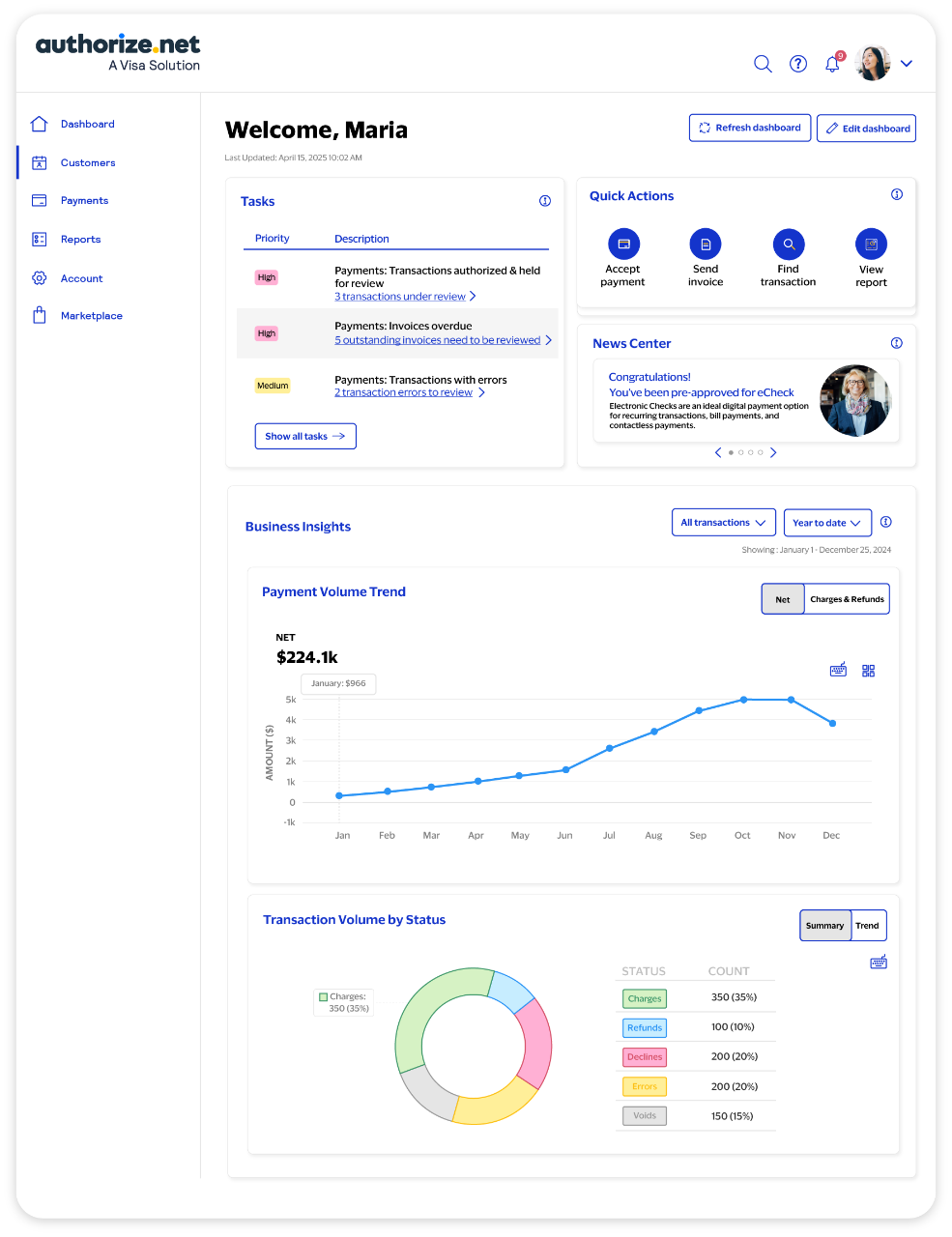
The dashboard provides access to critical features and functionality
Connected workspaces reduce friction
The dashboard connects you straight to five new workspaces, which group together related tasks to help reduce friction and simplify navigation.
1. Customer workspace for simpler customer profile management. You can:
- Add new customers, including payment and shipping information
- Manage existing customers, including transactions, subscriptions, charges, and refunds
2. Payments workspace for payment acceptance and transaction management. You can:
- Accept payments (credit cards and eChecks) with an easy-to-use virtual terminal
- Manage transactions using Smart Search and Quick Filters to easily find what you want
- Create, send, and view digital invoices
- Quickly create a Simple Checkout button for your website
- Manage recurring billing for subscriptions
3. Reports workspace for insights into transaction settlement and updated card details. Reports include:
- Settled credit card transactions
- Stored card details that were automatically updated over the past month, if you use Customer Information Manager and Account Updater
4. Account workspace for streamlined management of your Authorize.net account. You can review and manage:
- Your profile and business details
- Your billing status and payment information
- Your organization's Authorize.net users
- Your account and API settings
5. Marketplace workspace for activating and managing additional Authorize.net products and services such as:
- Customer Information Manager to store sensitive payment information in a PCI DSS-compliant way and streamline checkout for returning customers
- Automated Recurring Billing for hassle-free subscription and recurring payments
- Account Updater to update stored card data automatically and avoid payment disruptions that could cause customer frustration and lead to lost sales
Ready to learn more?
We think you'll love the new Authorize.net experience for its sleek design, simplified navigation, and rapid access to your most important tasks. To help make the transition smoother, you can easily switch between the classic and the new experiences using a toggle at the top of the dashboard.
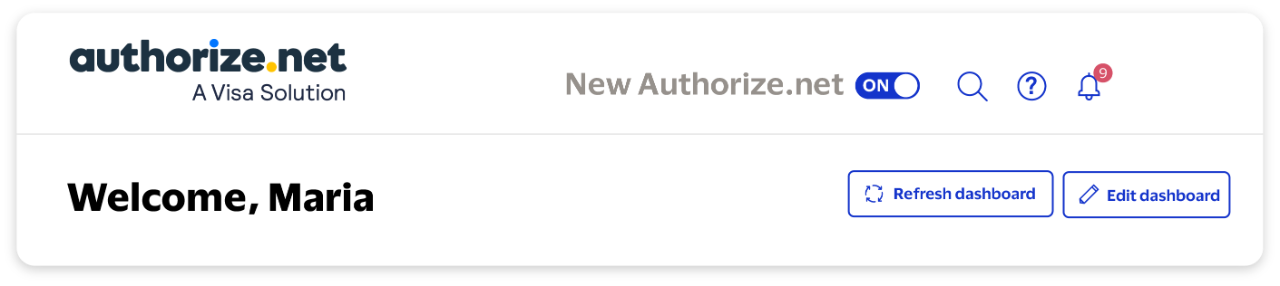
Toggle to the new Authorize.net
Disclaimer: Case studies, comparisons, statistics, research, and recommendations are provided “AS IS” and intended for informational purposes only and should not be relied upon for operational, marketing, legal, technical, tax, financial or other advice. Visa neither makes any warranty or representation as to the completeness or accuracy of the information within this document, nor assumes any liability or responsibility that may result from reliance on such information. The information contained herein is not intended as investment or legal advice, and readers are encouraged to seek the advice of a competent professional where such advice is required.